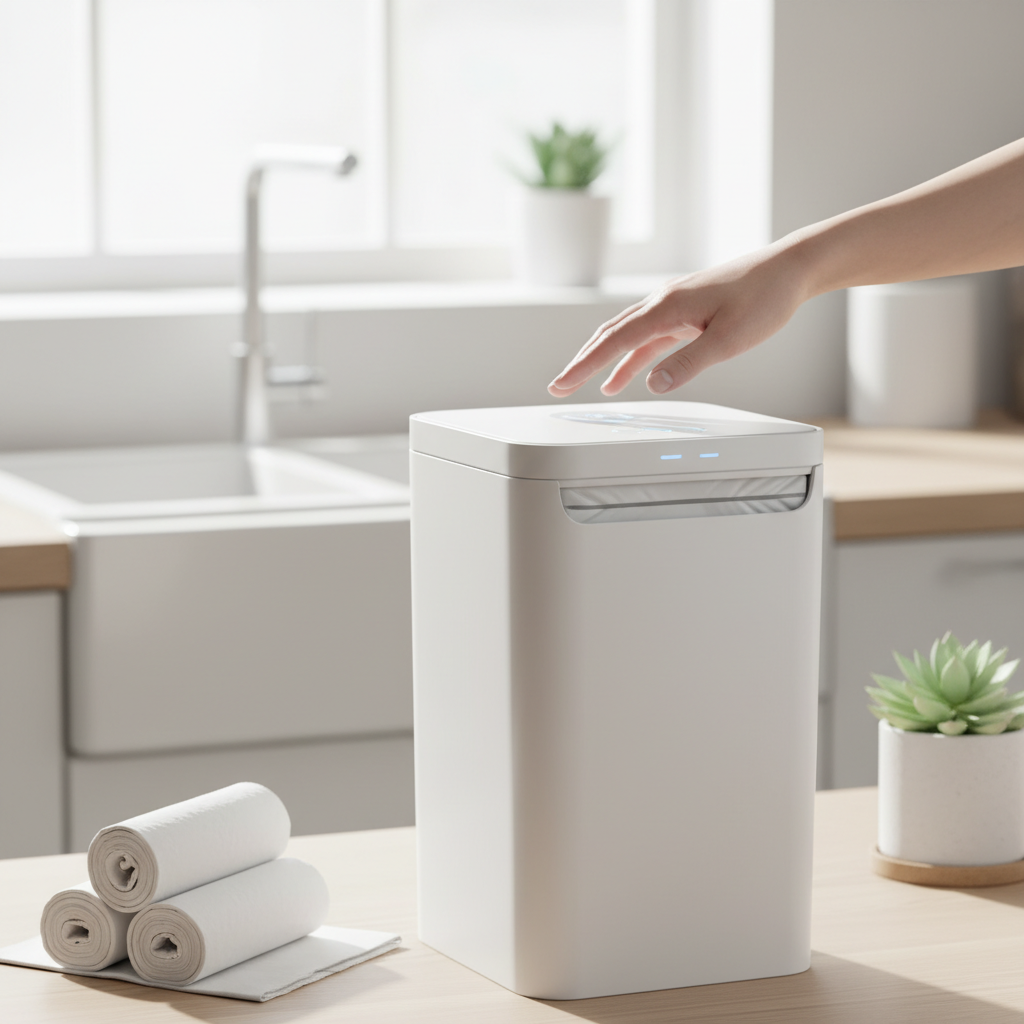
Smart trash cans have become indispensable in modern homes, offering hands-free convenience and improved hygiene. The sensor, the brain of this device, ensures touchless operation, making waste disposal cleaner and more efficient. However, over time, grime, dust, and food particles can accumulate on or near the sensor, hindering its performance or even spreading germs. Properly cleaning and sanitizing this crucial component is essential not only for maintaining functionality but also for upholding a hygienic environment in your kitchen or bathroom. This guide will walk you through the necessary steps and best practices to ensure your smart trash can sensor remains pristine and fully functional.
What is a Smart Trash Can Sensor and Why is Cleaning It Important?
A smart trash can sensor is typically an infrared (IR) sensor that detects motion, allowing the lid to open automatically when an object (like a hand or waste) approaches it. This touchless operation is the primary benefit, preventing the spread of germs and making waste disposal more convenient, especially when your hands are full. Beyond convenience, many smart trash cans integrate features like soft-close lids, odor control, and even internal bag sealing mechanisms, all dependent on the sensor initiating the process.
Cleaning this sensor is paramount for several reasons. Firstly, accumulated dust, dirt, or splatters can obstruct the sensor’s field of view, leading to delayed responses, erratic opening and closing, or complete failure to detect motion. This defeats the purpose of a touchless system, forcing manual intervention. Secondly, a dirty sensor can harbor bacteria and viruses, undermining the hygienic advantage of the smart trash can itself. Regular cleaning ensures optimal performance, extends the lifespan of your device, and maintains a truly sanitary waste management solution in your home.
Smart trash cans can be broadly categorized by their power source (battery-operated vs. AC adapter), lid mechanism (infrared sensor, voice command, or foot pedal with sensor assist), and additional features like odor filters, bag dispensers, or compaction capabilities. Regardless of the type, the sensor remains a critical component that requires diligent care.
Key Features and Cleaning Considerations for Smart Trash Can Sensors
Smart trash can sensors, while seemingly simple, rely on precise technology that can be sensitive to improper cleaning. Understanding their design helps in selecting the right cleaning approach.
Automatic Open/Close Lid Sensors: Operation and Maintenance
Most smart trash cans use passive infrared (PIR) sensors or similar optical sensors to detect movement. These sensors emit and receive infrared light. When an object enters the detection zone, the reflected light changes, signaling the lid to open.
How they work:
- An IR emitter sends out a beam of infrared light.
- An IR receiver detects the reflected light.
- When a person or object approaches, the amount of reflected IR light changes, triggering the lid mechanism.
Cleaning Considerations:
- Obstruction: Any film, dust, or residue on the sensor lens can block the IR light, preventing accurate detection.
- Sensitivity: Harsh chemicals or abrasive materials can scratch the lens or damage the internal electronics, reducing sensitivity or causing permanent failure.
- Moisture: Water or cleaning solutions can seep into the sensor housing, leading to short circuits or corrosion.
|
Our Picks for the Best Smart trash can in 2026
As an Amazon Associate I earn from qualifying purchases.
|
||
| Num | Product | Action |
|---|---|---|
| 1 | Vanpopubs 2 Pack 2.7 Gal Bathroom Trash Can with Lid, Automatic Trash Can Small Smart Garbage Can Touchless, Slim Motion Sensor Waterproof Plastic Trash Bins for Bedroom Office Kitchen Toilet |

|
| 2 | Ninestars 13 Gallon Odor Neutralizing Smart Trash Can, UV + Ozone Dual Purification, Odor Control Motion Sensor Garbage Bin, Universal Power Adapter, ONT-50-81SL Stainless Steel, Silver, Nova Series |
|
| 3 | EKO Deluxe Mirage-T 50 Liter / 13.2 Gallon Touchless Rectangular Motion Sensor Trash Can, Matte Stainless Steel Finish |
|
| 4 | Ninestars 13 Gallon Oval Automatic Trash Can, 50L Touchless Motion Sensor Garbage Can with Odor-Sealing Lid & One-Touch Manual Mode, Silver Stainless Steel, Black Trim |
|
| 5 | Ninestars 13 Gallon Automatic Trash Can, 50L Touchless Motion Sensor Garbage Can with Odor-Sealing Lid, Rectangular Stainless Steel, Silver Trim |
|
| 6 | EKO Mirage-T 50 Liter / 13.2 Gallon Touchless Rectangular Motion Sensor Trash Can, Brushed Stainless Steel Finish |
|
| 7 | Bathroom Trash Can with Lid, KOEYLE 2 Pack 2.2 Gallon Automatic Touchless Garbage Can, Small Motion Sensor Smart Trash Can, Slim Waterproof Trash Bin for Bedroom, Bathroom, Office, Living Room (Black) |
|
| 8 | EKO Mirage-T 50 Liter / 13.2 Gallon Touchless Rectangular Motion Sensor Trash Can, Brushed Stainless Steel Finish (Matte Black) |
|
| 9 | BestOffice | 13 Gallon Trash Can with Lid | Automatic Touchless Garbage Can | Odor Control | Modern Oval Design | Easy to Clean | Stainless Steel | Fits Any Kitchen, Bathroom, Office or Home |
|
| 10 | iTouchless 24 Gallon Extra Large Touchless Sensor Trash Can with AbsorbX Odor Filter, 91L Commercial Stainless Steel Automatic Kitchen Bin for Home, Office, Restaurant, Commercial Lobby, Store |
|
Odor Elimination and Bacteria Reduction Technologies
Some advanced smart trash cans incorporate features like activated carbon filters, UV-C lights, or ozone generators to neutralize odors and kill bacteria. While these features handle internal sanitation, they don’t directly clean the external sensor. However, ensuring the external sensor is clean helps maintain the overall hygiene of the unit. A clean sensor means less physical interaction with the bin, reducing the transfer of germs.
Auto-Sorting and App Connectivity Features
While auto-sorting and app connectivity features don’t directly impact sensor cleaning, they highlight the advanced nature of these appliances. Maintaining the sensor ensures the primary function (hands-free operation) works flawlessly, complementing any additional smart features. If the sensor is malfunctioning, the smart features might become less useful as users resort to manual operation.
Step-by-Step Guide to Cleaning and Sanitizing Your Smart Trash Can Sensor
Proper cleaning and sanitization of your smart trash can sensor involve gentle yet effective methods to ensure its longevity and hygiene. Always consult your trash can’s user manual for specific cleaning instructions or warnings before proceeding, as some models may have unique requirements.
1. Preparation and Safety First
Before you begin, ensure the smart trash can is safe to clean.
- Power Off: For battery-operated units, remove the batteries. For AC-powered units, unplug the adapter from the wall outlet and the trash can. This prevents accidental activation during cleaning and safeguards against electrical hazards.
- Empty the Can: Remove the trash bag and any loose debris from inside the can to prevent spills or odors from interfering with the cleaning process.
- Gather Supplies:
- Soft, lint-free microfiber cloths (2-3)
- Cotton swabs or cotton balls
- Rubbing alcohol (isopropyl alcohol, 70% or higher)
- Distilled white vinegar (optional, for general exterior cleaning)
- Mild dish soap (optional, for general exterior cleaning)
- Small, soft-bristled brush (like a new, clean toothbrush or a camera lens brush)
- Compressed air (optional, for removing trapped dust)
2. Cleaning the Sensor Area
The goal here is to gently remove any surface dust, grime, or smudges without saturating the sensor.
- Dust Removal: Use compressed air to blow away any loose dust or debris from around the sensor opening. Hold the can upright and use short bursts. Alternatively, use a soft-bristled brush to gently sweep away dust.
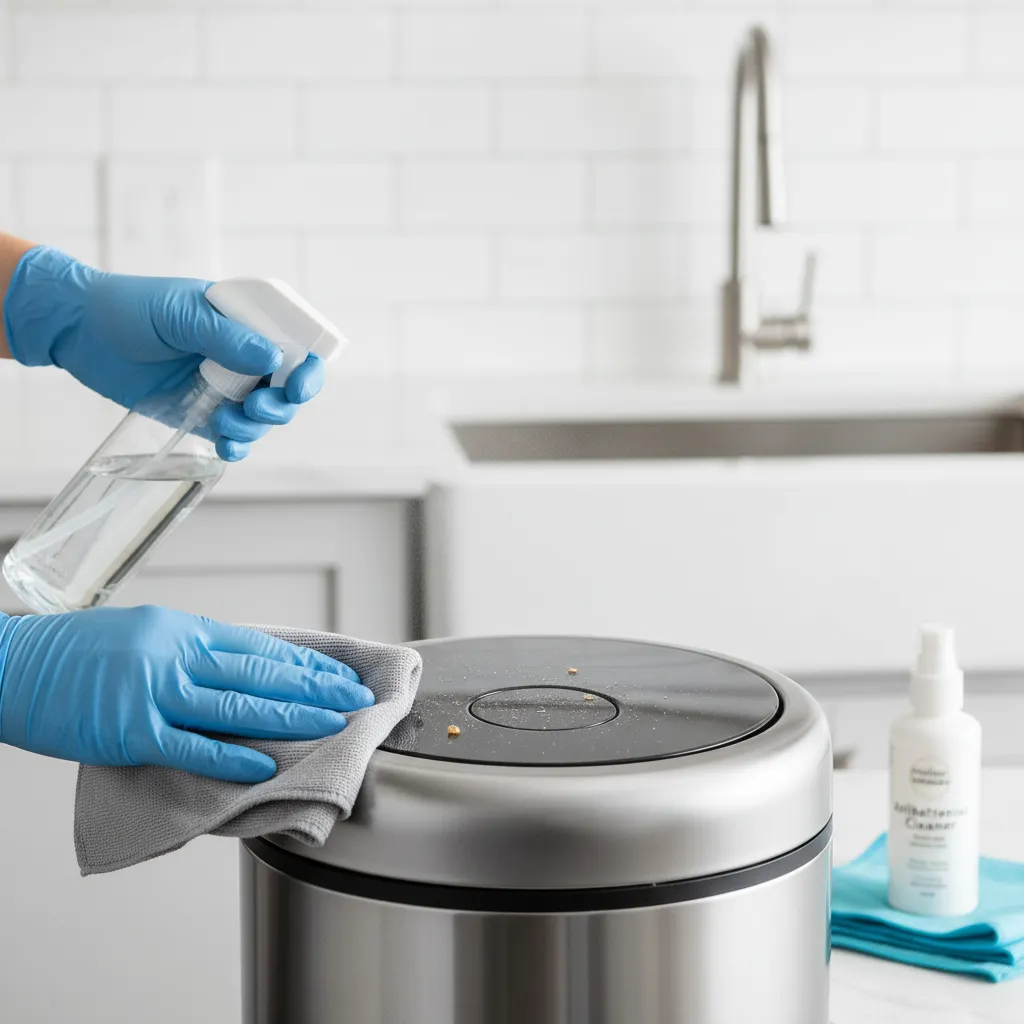
- Wiping the Sensor: Dampen a clean microfiber cloth with a small amount of rubbing alcohol. Ensure the cloth is damp, not wet, to avoid liquid dripping into the sensor. Carefully wipe the sensor lens and the surrounding area. Rubbing alcohol is effective at dissolving grease and removing fingerprints without leaving residue.
- Detail Cleaning: For crevices or small gaps around the sensor, lightly dampen a cotton swab with rubbing alcohol and meticulously clean those hard-to-reach spots. Be gentle to avoid pushing debris further into the mechanism.
- Drying: Immediately after wiping with alcohol, use a dry, clean microfiber cloth to thoroughly dry the sensor area. Alcohol evaporates quickly, but ensuring complete dryness is crucial.
3. Sanitizing the Sensor
Sanitization aims to kill germs that might be present on the sensor’s surface. Rubbing alcohol is an excellent sanitizing agent for electronics.
- Alcohol Application: Using a new cotton ball or a fresh part of a microfiber cloth, apply a small amount of rubbing alcohol directly to the sensor. Let it sit for about 30 seconds to allow the alcohol to work.
- Final Wipe: Wipe the sensor dry with another clean, dry microfiber cloth. Avoid leaving any moisture, as this could attract more dust or cause operational issues.
4. General Exterior Cleaning (Optional, but Recommended)
While focusing on the sensor, it’s a good practice to clean the entire exterior of the smart trash can.
- Wipe Down: Mix a few drops of mild dish soap with warm water, or use a solution of equal parts distilled white vinegar and water. Dampen a microfiber cloth with this solution (again, damp, not wet) and wipe down the exterior of the trash can, paying attention to the lid and frequently touched areas.
- Rinse and Dry: Use a second clean, damp cloth (with just water) to wipe off any soap or vinegar residue, then thoroughly dry the entire surface with a dry cloth. Leaving moisture can lead to water spots or encourage bacterial growth.
- Interior Cleaning: If possible, wipe down the interior with a disinfecting spray and allow it to air dry completely before replacing the trash bag.
5. Reassembly and Testing
Once everything is thoroughly dry, you can power up the unit.
- Re-power: Reinsert batteries or plug in the AC adapter.
- Test: Wave your hand over the sensor a few times to ensure the lid opens and closes smoothly and responsively.
“A clean sensor isn’t just about aesthetics; it’s about preserving the core functionality and hygiene promise of your smart trash can. Neglect can lead to frustrating performance issues and a less sanitary home.” – Alex Chen, Home Appliance Technologist
Comparing Cleaning Agents: Pros and Cons
Choosing the right cleaning agent is crucial for the sensor’s delicate electronics.
| Cleaning Agent | Pros | Cons | Recommended Use for Sensor |
|---|---|---|---|
| Rubbing Alcohol | Dries quickly, effective disinfectant, good for dissolving grease, leaves no residue. | Flammable, can damage some plastics/finishes if too concentrated or applied excessively. | Highly Recommended for sensor lens and surrounding plastic/metal. |
| Distilled White Vinegar | Natural disinfectant, cuts through grime, odor neutralizer. | Strong odor, acidic (can damage some finishes over time), leaves residue if not wiped clean. | Not recommended directly on sensor lens. Good for general exterior stainless steel or plastic. |
| Mild Dish Soap & Water | Gentle, good for general cleaning, removes dirt and grime. | Requires thorough rinsing, can leave streaks, water ingress risk for electronics. | Not recommended directly on sensor lens. Good for general exterior wipe-down. |
| Glass Cleaner | Streak-free finish on glass. | Contains ammonia, which can damage plastic and rubber seals over time. | Not recommended due to potential damage to plastic. |
| All-Purpose Cleaners | Convenient for general surfaces. | Can be too harsh, leave residue, or contain ingredients harmful to plastics/electronics. | Not recommended for sensor. |
Tips for Choosing the Right Smart Trash Can for Easy Maintenance
When purchasing a smart trash can, consider design features that will simplify future cleaning and maintenance.
1. Identify Your Needs
- Location: Kitchens require larger capacities and robust odor control. Bathrooms might need smaller, sleeker designs. High-traffic areas might benefit from more durable materials.
- Waste Type: If you frequently dispose of sticky or messy waste, prioritize models with easily removable inner buckets and smooth, wipeable exterior surfaces.
- User Count: A busy family home will put more strain on the sensor and require more frequent cleaning, making an easily accessible sensor a plus.
2. Prioritize Features for Ease of Cleaning
- Sensor Placement: Look for sensors that are recessed or protected but still easily accessible for wiping. Avoid overly complex designs that trap dirt.
- Material:
- Stainless Steel: Durable, sleek, but can show fingerprints and smudges. Easy to wipe clean.
- Plastic: Lightweight, often more affordable, but can scratch easily and may absorb odors over time. Ensure it’s high-quality, smooth plastic.
- Fingerprint-Resistant Coatings: Many stainless steel models now come with coatings that significantly reduce smudging, making them appear cleaner for longer.
- Removable Inner Buckets: An inner bucket that is easy to remove and wash separately simplifies interior cleaning and prevents spills from reaching the electronics or exterior shell.
- Simple Lid Design: Lids with fewer nooks, crannies, and exposed mechanisms are generally easier to clean than overly complex ones.
3. Brand Reputation and Price
- Reputable Brands: Brands like simplehuman, iTouchless, and Glad often design their products with maintenance in mind, offering quality materials and thoughtful features. They also typically provide clear cleaning instructions in their manuals.
- Price Segment: While cheaper models might seem appealing, they often use lower-quality sensors or materials that are harder to clean and less durable. Investing in a mid-range to high-end model can save you hassle in the long run.
Where to Buy Reliable Smart Trash Cans
Smart trash cans are widely available across various retail channels, both online and in brick-and-mortar stores.
- Electronics Retailers: Stores like Best Buy or major electronics sections often carry a selection of smart home appliances, including high-end smart trash cans.
- Home Goods Stores: Retailers specializing in home organization and kitchenware, such as Bed Bath & Beyond, Crate & Barrel, or even department stores like Macy’s, will often have a range of smart trash cans.
- Online Marketplaces: Amazon, Walmart.com, and Target.com offer vast selections, often at competitive prices, with detailed product descriptions and customer reviews.
- Brand Websites: Purchasing directly from brands like simplehuman.com or iTouchless.com can ensure you get authentic products, direct customer support, and sometimes exclusive offers.
When buying online, always:
- Check Product Information: Read descriptions carefully to understand features, dimensions, and cleaning instructions.
- Review Customer Feedback: User reviews often provide practical insights into ease of cleaning, durability, and sensor performance. Look for mentions of how well the sensor holds up to daily use and cleaning.
- Verify Warranty and Return Policies: Ensure you have recourse if the product arrives damaged or malfunctions.
Usage and Maintenance Tips for Smart Trash Can Longevity
Beyond cleaning, daily habits and routine checks can significantly extend the life and performance of your smart trash can, especially its sensor.
1. Optimal Placement
- Avoid Direct Sunlight: Intense sunlight can interfere with infrared sensors, causing erratic behavior.
- Clear the Area: Ensure there are no objects (curtains, shelves, plants) too close to the sensor that could block its path or trigger it accidentally. Keep liquids away to prevent accidental spills.
- Ventilation: If your can has an odor filter or ventilation system, ensure it’s not blocked.
2. Regular Wipes
- Quick Daily Wipe: A quick wipe of the sensor area with a dry microfiber cloth can prevent dust buildup.
- Weekly Spot Clean: Address any smudges or splatters on the sensor as soon as they occur with a damp cloth (water or mild alcohol solution).
3. Battery Management
- Replace Promptly: Low batteries can lead to sluggish sensor response or complete failure. Replace batteries as soon as you notice performance drops, or at recommended intervals (e.g., every 6-12 months).
- High-Quality Batteries: Use reputable brands of alkaline batteries. Some smart trash cans may benefit from rechargeable batteries if specifically supported by the manufacturer.
4. Avoid Overfilling
- Bag Clearance: Ensure the trash bag doesn’t obstruct the lid’s closing mechanism or interfere with the sensor’s view from the inside if it extends too high.
- Lid Integrity: Overfilling can put stress on the lid hinge and motor, leading to damage.
5. Protect from Moisture
- No Hosing Down: Never submerge the lid or spray water directly onto the sensor or control panel.
- Immediate Spill Cleanup: If liquids spill near the sensor, wipe them up immediately and dry the area thoroughly.
By integrating these practices into your routine, you’ll not only keep your smart trash can looking good but also ensure its smart features, particularly the sensor, operate reliably for years to come.
Smart Trash Can Price Range Overview
The price of smart trash cans varies significantly based on brand, size, materials, and the array of smart features included.
- Entry-Level (Under $70): These often feature basic IR sensors for automatic opening, plastic construction, and minimal additional features. They might be smaller in capacity. Cleaning is usually straightforward but durability might be a concern.
- Mid-Range ($70 – $150): This segment offers better build quality, often stainless steel, more reliable sensors, larger capacities, and sometimes features like soft-close lids or basic odor filtration. Brands like iTouchless or Glad often fall into this category. Maintenance is typically easier due to better materials.
- High-End ($150 – $300+): Premium smart trash cans, such as those from simplehuman, boast superior materials (e.g., fingerprint-resistant stainless steel), advanced sensor technology (e.g., motion and hand wave detection), sophisticated odor control, built-in bag dispensers, voice control, or even self-sealing/compacting features. While more expensive, these models often feature designs that simplify cleaning and offer robust durability.
Factors influencing price include:
- Material: Stainless steel is more expensive than plastic.
- Capacity: Larger cans cost more.
- Brand Reputation: Established brands command higher prices.
- Advanced Features: Odor control, bag storage, voice control, self-sealing, or compaction significantly increase the cost.
Buying Guide: Essential Considerations Before Your Purchase
Making an informed decision about a smart trash can means looking beyond the immediate “cool factor” and assessing its practicality and long-term value.
Before You Buy, Ask Yourself These Questions:
- What is my primary motivation for a smart trash can? Is it hygiene, convenience, aesthetics, or a combination?
- Where will it be placed? Will it fit the space? Is there an electrical outlet nearby if needed, or will batteries suffice?
- How often do I empty my trash? This will dictate the optimal capacity.
- What kind of waste do I typically generate? For messy waste, an easily washable inner bucket is key.
- What is my budget? Balance desired features with what you’re willing to spend.
- Are replacement parts (like odor filters or custom bags) easily available and affordable?
Common Pitfalls to Avoid:
- Ignoring Dimensions: A trash can that’s too large for your space or too small for your waste generation is impractical.
- Overlooking Power Source: If you dislike changing batteries, an AC-powered model is better. If you need portability, battery-operated is ideal.
- Neglecting Material Quality: Cheap plastics can stain, scratch, and retain odors, making cleaning difficult.
- Forgetting Maintenance: A complex model with hard-to-reach areas or proprietary parts might become a chore to maintain, negating its benefits.
- Disregarding Reviews: Other users’ experiences can highlight common sensor issues or cleaning challenges.
Choosing the right smart trash can involves balancing innovation with practicality. A well-chosen unit, especially one with a reliable and easy-to-clean sensor, will enhance your home’s hygiene and convenience for years.
Conclusion
The smart trash can, with its intuitive sensor technology, has revolutionized a mundane household task into a seamless, touch-free experience. Yet, the very convenience it offers hinges on the optimal performance of its sensor. Regular, gentle cleaning and sanitization of this vital component are not just about aesthetics; they are crucial for preventing malfunctions, maintaining a hygienic environment, and extending the lifespan of your appliance. By following a simple routine of dusting, wiping with rubbing alcohol, and addressing general exterior cleanliness, you can ensure your smart trash can continues to respond reliably to your needs.
Remember to prioritize models with durable, easy-to-clean materials and accessible sensor designs when making a purchase. With proper care, your smart trash can will remain a hygienic, efficient, and valued asset in your home. Are you ready to embrace a cleaner, smarter way to manage your household waste?
Frequently Asked Questions
What should I do if my smart trash can sensor stops working after cleaning?
First, ensure the batteries are fresh or the power adapter is securely plugged in. Double-check that the sensor lens is thoroughly dry and free from any residue from cleaning. Sometimes, simply powering off and on (by removing and reinserting batteries or unplugging/replugging) can reset the sensor. If issues persist, consult the manufacturer’s troubleshooting guide.
Can I use household bleach to sanitize my smart trash can sensor?
No, it is strongly advised not to use household bleach or any harsh, abrasive cleaners directly on the smart trash can sensor. Bleach can be corrosive to electronics and certain plastics, potentially damaging the sensor lens or internal components. Stick to rubbing alcohol for effective and safe sanitization of the sensor.
How often should I clean my smart trash can sensor?
The frequency depends on usage and environment. For high-traffic areas like a kitchen, a quick wipe-down of the sensor area with a dry cloth weekly is good practice, with a more thorough cleaning and sanitization using rubbing alcohol every 2-4 weeks. In lower-traffic areas, monthly cleaning might suffice.
Why is a soft, lint-free cloth recommended for cleaning the sensor?
A soft, lint-free microfiber cloth is recommended because it effectively picks up dust and grime without scratching the delicate sensor lens. Regular cloths or paper towels can leave behind lint or be abrasive, potentially impairing the sensor’s function or clarity.
Can water damage the smart trash can sensor?
Yes, water and excessive moisture can damage the smart trash can sensor by causing short circuits or corrosion of internal electronic components. Always ensure your cleaning cloth is only damp (not wet) and that the sensor area is thoroughly dried immediately after cleaning. Never submerge the lid or spray water directly onto the sensor.